Four sign-in methods
Email and password, Google, Apple or Telegram, all opening the same account with the same balance.
Sign in to Rider Bet from your computer or phone
Four sign-in methods, two-factor authentication and 24/7 live chat if your access gets blocked
Signing in to Rider Bet at a glance
Four sign-in methods
Email and password, Google, Apple or Telegram, all opening the same account with the same balance.
Two-factor authentication
An authenticator app protects access, and every connection runs over TLS 256-bit encryption.
Biometrics on mobile
Fingerprint or Face ID on your phone, in the browser as well as in the app.
Protecting access to your account
What to do
What to avoid
Signing in follows the same principle on every device: you pick a method, you confirm who you are, and you land on the cashier, Missions, the Store and the VIP Club. The four methods on offer (email and password, Google, Apple and Telegram) all open the same account, with the same balance and the same history.
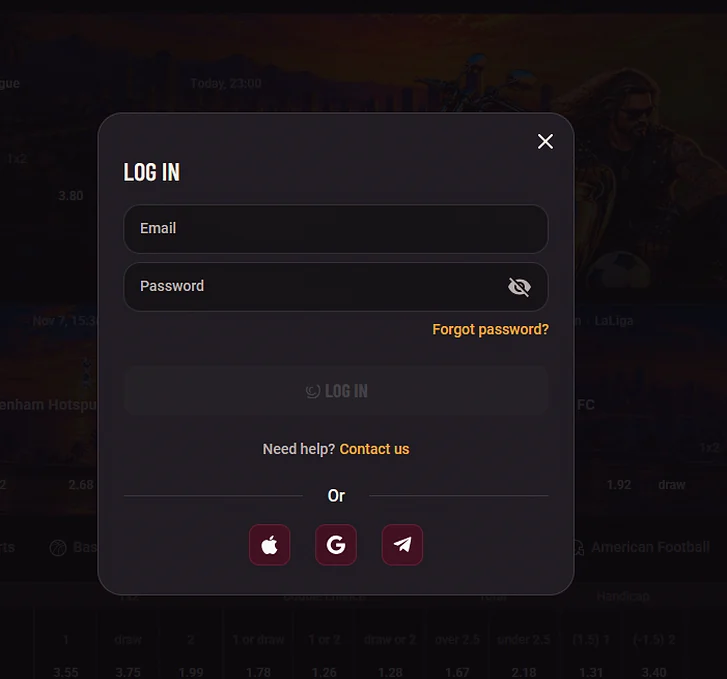
Open Rider Bet in your browser and click the login button at the top right of the page. A window appears: type your email address and password, or choose Google, Apple or Telegram if you registered with one of those services.
If you have switched on two-factor authentication, the site then asks for the six-digit code shown by your authenticator app. Once the code is accepted you return to the page you were on, with your CAD balance visible in the header.
On a phone, open the page menu and then the login button. The same four methods are available, and the window adapts to the size of your screen.
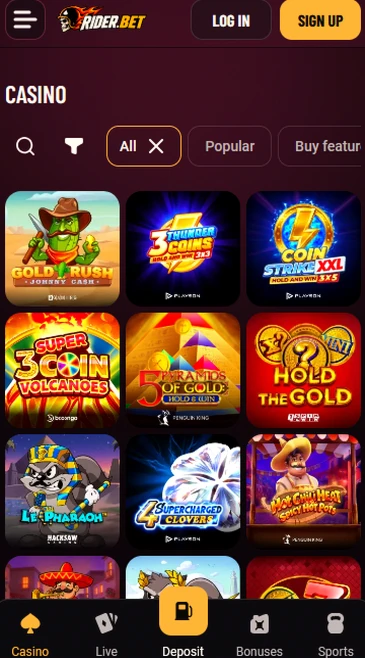
If biometric login is enabled on your device, your fingerprint or Face ID replaces typing the password: you touch the sensor or look at the screen, and the session opens. This is handy for daily logins, but it does not replace the two-factor code when that protection is on.
In the app, the login screen offers the same four methods as the website. You sign in with the details you used at registration, and your session stays tied to your account.
The Android (APK) and iOS (PWA) install options are covered in the app guide. Once the app is open, your phone’s biometrics work as they do in the mobile browser, and the session closes after 30 minutes of inactivity.
A blocked login most often comes down to a forgotten password, a temporarily blocked access or a rejected authentication code. Each case has a specific fix, set out below, and support takes over if it does not work.
Start the email reset from the login screen: a link valid for 1 hour is sent to the address on your account. If the message is slow, check your junk folder and make sure you typed the address you used at registration.
Then choose a new password that you do not use on any other site, and sign in again.
After 5 failed login attempts, access is blocked for 30 minutes. Wait for the delay to pass before trying again, rather than repeating the attempts.
An inactive session is logged out after 30 minutes, which sometimes explains why a page asks for your details again when nothing is wrong with the account.
Check the time on your phone first: the six-digit codes change every 30 seconds and depend on an accurate clock, so a phone that is running behind produces rejected codes. Turn on automatic date and time, then enter the next code.
If the authenticator app is no longer available, use one of the ten backup codes issued at activation. Each backup code works only once.
If these steps are not enough, our live chat answers around the clock, with English-language support 24/7 and French-language support from 8 a.m. to 10 p.m. ET. The average chat response time is under 3 minutes.
You can also write to Riderbet support at [email protected], with a reply within 24 hours. State the email address of your account and, if you can, attach a screenshot of the error message, which speeds up the handling of your request.
Rider Bet offers four ways to sign in: email and password, Google, Apple and Telegram. You choose at registration, and you then find the same button each time you sign in.
| Method | What you need |
|---|---|
| Email and password | The address and password set at registration |
| Your Google account | |
| Apple | Your Apple ID |
| Telegram | Your Telegram account |
Email and password suits players who prefer to manage their own credentials, while Google, Apple and Telegram save you from remembering one more password. In both cases you keep the same account on a computer, on a phone and in the app, and the account currency stays CAD.
For an account linked to Google, Apple or Telegram, security also depends on the protection of that service, so switch on its two-step verification in addition to the one at Rider Bet.
Our protection rests on three elements: TLS 256-bit encryption of every exchange, two-factor authentication and biometric login on mobile. You control these settings from your account, and they sit alongside the responsible gaming limits.
You switch it on with a compatible authenticator app, such as Google Authenticator, Authy or Microsoft Authenticator. It generates a six-digit code that renews every 30 seconds, and you enter it at each login.
At activation you receive ten backup codes: keep them away from your phone, for example on paper, so you can recover access if you change devices. The code is also required to switch the protection off, which stops someone else from removing it.
On a phone, your fingerprint or Face ID replaces typing the password. The biometric data stays on your device, and Riderbet receives no copy of it: the site only receives confirmation that your phone recognized you.
The password remains available as a fallback, for example if the sensor does not recognize you.
Before a withdrawal, or during a check, we may ask for a driver’s licence, a Canadian passport, a provincial photo ID card or a permanent resident card, and a proof of address dated within the last 3 months, such as a utility bill, a bank statement or a Canada Revenue Agency notice of assessment. For withdrawals we also ask for a void cheque or a bank statement.
Verification takes 24 to 48 hours, and it is requested at your first withdrawal or once your cumulative deposits reach $3,000.
Registration takes about 2 minutes in three steps, with CAD as the account currency, and it is open to players aged 19+ (18+ in Alberta, Manitoba and Quebec). The first step asks for an email address, a password and confirmation of your age, the second for your personal details (first name, last name, date of birth, address and phone number) and the third confirms the account by email.
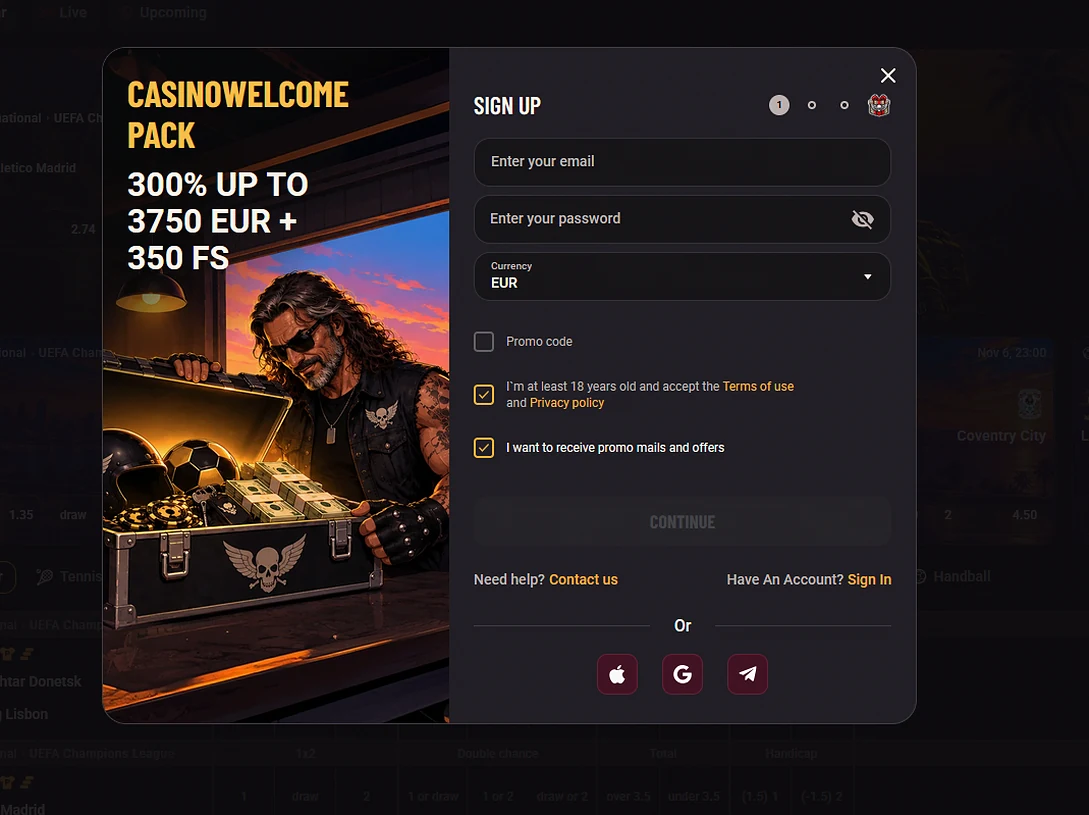
You can also register with Google, Apple or Telegram, which cuts down the typing, and an optional promo code field sits on the first step. The casino welcome pack of 300% up to $5,250 + 350 free spins is described on the Rider Bet bonus page, for players aged 19+ (18+ in Alberta, Manitoba and Quebec).
Questions about signing in
Use the email reset on the login screen: a link valid for 1 hour is sent to the address on your account. If the email does not arrive, write to [email protected] or open the live chat.
Yes, Google, Apple and Telegram sit alongside email and password on the login screen. The same choice is offered on a computer and on a phone.
No, each player holds a single account. If you have lost access to an existing one, live chat will help you recover it.
Access your Rider Bet account
Claim 300% up to $5,250 plus 350 free spins across your first five deposits.
Start Playing Players must be 19+ (18+ in Alberta, Manitoba and Quebec). Gambling involves risk, and bonus terms apply.