Android
- Android 8 or newer
- APK file of 42 MB
- Installed outside Google Play
Rider Bet app: APK for Android and PWA for iOS
Install Rider Bet on your phone: a 42 MB APK on Android 8 or newer, a PWA through Safari on iOS 14 or newer, with 2FA and biometric login
Installing Rider Bet on your phone
System requirements
Android
iOS
Rider Bet in your pocket
Install Rider Bet on your phone: a 42 MB APK on Android 8 or newer, a PWA through Safari on iOS 14 or newer, with 2FA and biometric login
Install Mobile Version Players must be 19+ (18+ in Alberta, Manitoba and Quebec). Gambling involves risk, and bonus terms apply.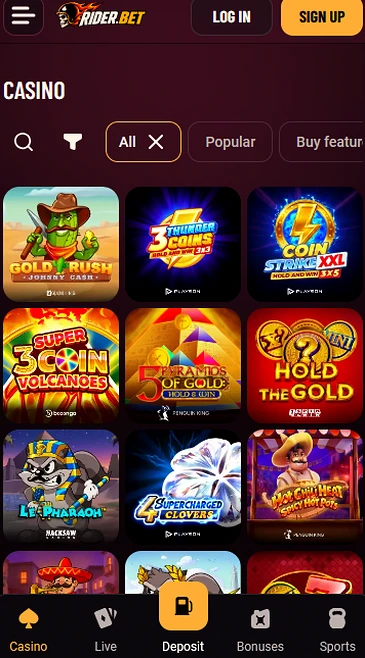
What the app brings
One account, two formats
A 42 MB APK for Android and a PWA installed from Safari for iOS, both using the same account as the website.
Direct access to casino and sports
Slots, 425 live tables, sports betting, Missions and the VIP Club from your phone's home screen.
Protected login
Two-factor authentication, fingerprint or Face ID and TLS 256-bit encryption.
Installing the app safely
What to do
What to avoid
The Rider Bet app at a glance
Pros
Cons
Rider Bet bonuses work in the app exactly as on the website, with the same account, the same cashier and the same bonus balance. No offer is reserved for one format.
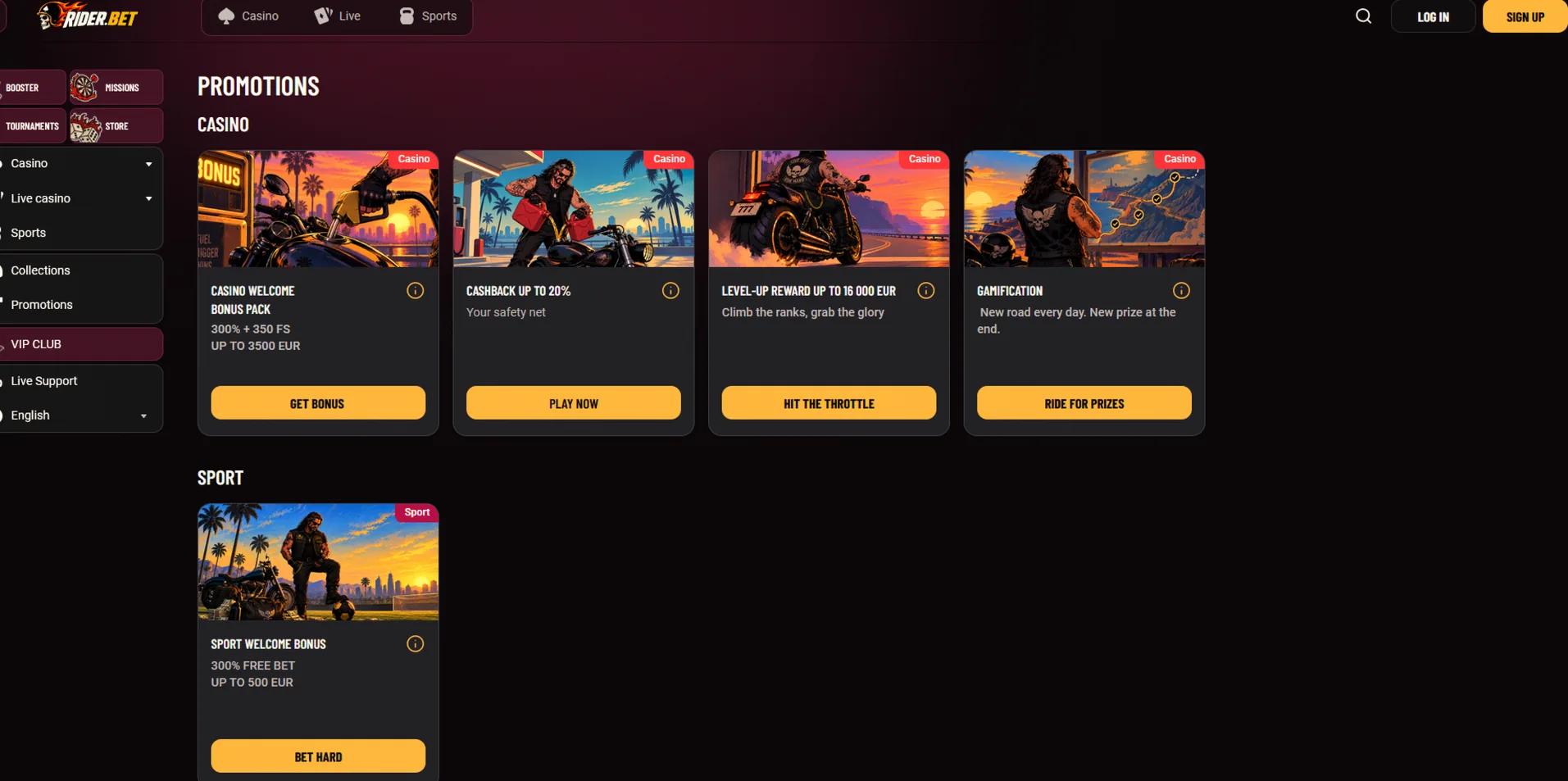
The casino welcome pack of 300% up to $5,250 + 350 free spins unlocks over five deposits, and each deposit needs $30 at least, for players aged 19+ (18+ in Alberta, Manitoba and Quebec). At the time of the deposit, the mobile cashier shows the bonus for the current step, which you can accept or decline.
The full conditions are on the Rider Bet bonus page. Weekly cashback, the Friday reload, Missions and the Store are reached from the same menu as on the website.
The app comes in two formats: an APK for Android 8 or newer and a PWA for iOS 14 or newer. Neither is published on Google Play or the App Store, and installation happens directly from our website.
On Android we provide an APK file of 42 MB, installed outside Google Play. The app needs Android 8 or newer, 2 GB of RAM and 150 MB of free space.
A notification tells you when a new version of the APK is available, and you download it from our website.
On iOS the app is a progressive web app (PWA) installed from Safari, with no detour through the App Store. It needs iOS 14 or newer on an iPhone 8 or newer, and it loads the site in a window of its own.
It updates automatically with the website, so there is no file to download again.
| Platform | Minimum version | Format | Size |
|---|---|---|---|
| Android | Android 8 | APK | 42 MB |
| iOS | iOS 14 | PWA through Safari | Depends on the device |
Plan for a stable Wi-Fi or mobile data connection when you download the APK and when you play live tables. The live casino uses about 400 MB an hour at standard quality, while slots and sports betting use noticeably less.
Downloading happens on our website: an APK file for Android and a PWA shortcut for iOS. Each format installs in a few minutes, with no extra account.
Download the Riderbet APK file from our website with your phone, and avoid any other link. In your settings, allow installation from that source, because Android blocks by default any file that does not come from Google Play.
Then open the downloaded file, confirm the installation, launch the app and sign in with your account. You can switch the permission off again once the app is installed.
Open Rider Bet in Safari, tap the Share button, choose Add to Home Screen and confirm the name of the shortcut. The icon then appears among your apps, and it opens Rider Bet in full screen.
The procedure only works in Safari: another browser does not always offer the add-to-home-screen option on iOS.
The app brings together the casino, the live casino, sports betting, the cashier, Missions, the Store and the VIP Club in a single account. It follows the structure of the website, with the same lobby categories and the same balance.
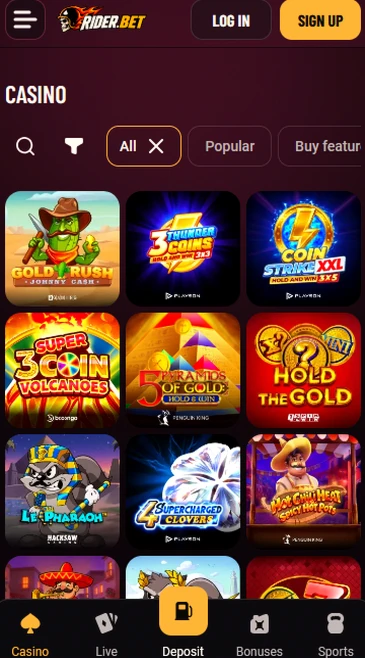
You find the lobby with its categories (Popular, Buy feature, Originals, Hold&Win, Instant, New, Jackpots and Top 10 in your region), sports betting with its Popular, Live and Upcoming tabs, and support by live chat. The lobby search finds a title or a studio by name, and each game card shows its RTP and its maximum win.
The content is the same as on the website: same games, same bonuses, same limits. The app adds an icon on your home screen and biometric login with a fingerprint or Face ID, and it saves you from retyping the site address at every visit.
The mobile catalogue holds more than 5,500 slots and 425 live tables, from the same studios as on a computer. Games adapt to the touchscreen, in portrait or landscape depending on the title.
Hacksaw Gaming, BGaming, Penguin King, Onlyplay, Gamebeat and Pragmatic Play supply a large part of the catalogue, with titles such as Le Zeus, Halls of Odin and Sweet Bonanza. Each game’s RTP appears in its information screen, and a demo mode is available for most slots.

Evolution Gaming, Pragmatic Play Live, Ezugi, Playtech Live and Vivo Gaming run the tables, including Lightning Roulette, Infinite Blackjack and Speed Baccarat. Stakes run from $0.30 on automatic roulette up to $15,000 at the VIP tables.
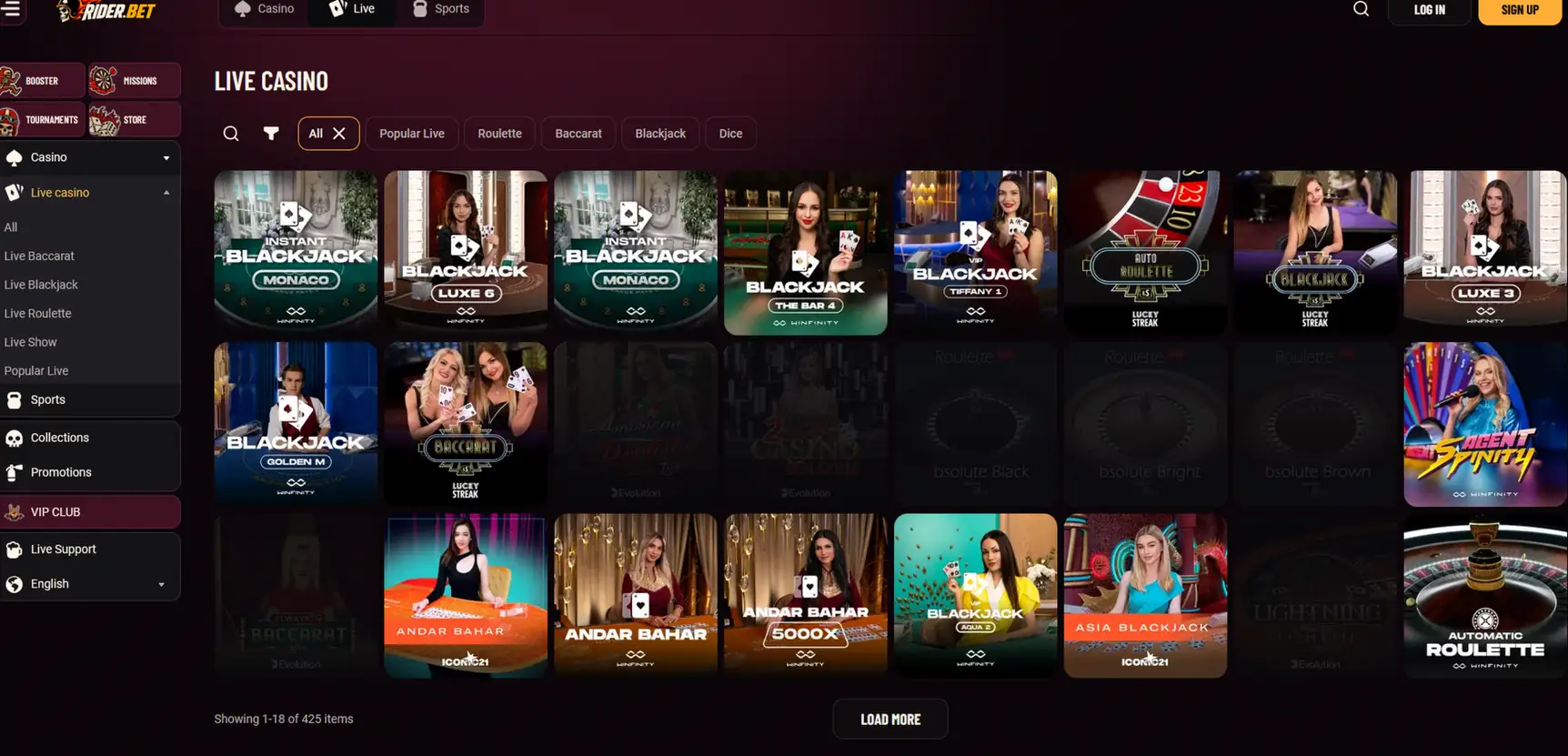
Landscape orientation gives the table and the chips more room, and the video adapts to your connection speed.
The Jackpots category of the lobby is reachable from the app, like the Hold&Win and Buy feature categories. They are browsed with the same filters as on a computer, and the search lets you find a title or a studio by name. The RTP and the maximum win of each game appear in its information screen, ahead of your first bet.
Deposits start at $15 with cards and e-wallets, and withdrawals start at $30 depending on the payment method. The mobile cashier offers the same methods as the website, with Interac e-Transfer, iDebit, Instadebit and MuchBetter at the top.
The app accepts the same methods as the website: Interac e-Transfer, iDebit, Instadebit, MuchBetter, Visa, Mastercard, Apple Pay, Google Pay, Paysafecard, bank transfer, Skrill, Neteller and four cryptocurrencies (Bitcoin, Ethereum, Litecoin and USDT). Apple Pay, Google Pay and Paysafecard are for deposits only, and the withdrawal then goes by Interac e-Transfer, bank transfer or crypto.
Processing times depend on the method you choose. The table below sets out the times for deposits and withdrawals, after internal processing of 24 hours at most.
| Payment method | Deposit time | Withdrawal time |
|---|---|---|
| Interac e-Transfer, iDebit, Instadebit, MuchBetter | Instant | Under 12 hours |
| Visa, Mastercard | Instant | 1 to 3 business days |
| Skrill, Neteller | Instant | Under 12 hours |
| Bank transfer | 1 to 2 business days | 1 to 3 business days |
| Bitcoin, Ethereum, Litecoin, USDT | After network confirmation | 1 to 6 hours |
| Apple Pay, Google Pay, Paysafecard | Instant | Deposit only |
We process each withdrawal request within 24 hours at most, after verification of the account, which is requested at the first withdrawal or once your deposits reach $3,000. Payments are handled by PCI DSS certified providers.
Fees from the payment provider or the crypto network stay with you, because we charge none. Withdrawals are capped at $7,500 a day, $30,000 a week and $75,000 a month.
The app protects your account with TLS 256-bit encryption, two-factor authentication and biometric login. The three work together: biometrics make access quick, and the two-factor code stops someone who knows your password.
All data exchanged between your phone and our servers goes through TLS 256-bit encryption, including your login details and cashier operations. Your personal data is stored in encrypted form on our servers, and payments are handled by PCI DSS certified providers. The padlock in your browser confirms the secure connection when you use the PWA.
You switch it on with an authenticator app such as Google Authenticator, Authy or Microsoft Authenticator. It generates a six-digit code that renews every 30 seconds, and you enter it at each login.
At activation you receive ten backup codes in case you change phones.
On a phone, your fingerprint or Face ID lets you sign in without typing the password. The biometric data stays on your device, and Rider Bet receives no copy of it.
An inactive session is logged out after 30 minutes, and access is blocked for 30 minutes after 5 failed login attempts.
You open or recover your account directly in the app, with the same details as on the website. There is no need to create a separate account for mobile.
Registration takes three steps and about 2 minutes. The first asks for an email address, a password, CAD as the account currency, confirmation that you are 19+ (18+ in Alberta, Manitoba and Quebec) and acceptance of the terms of use, with an optional promo code field.
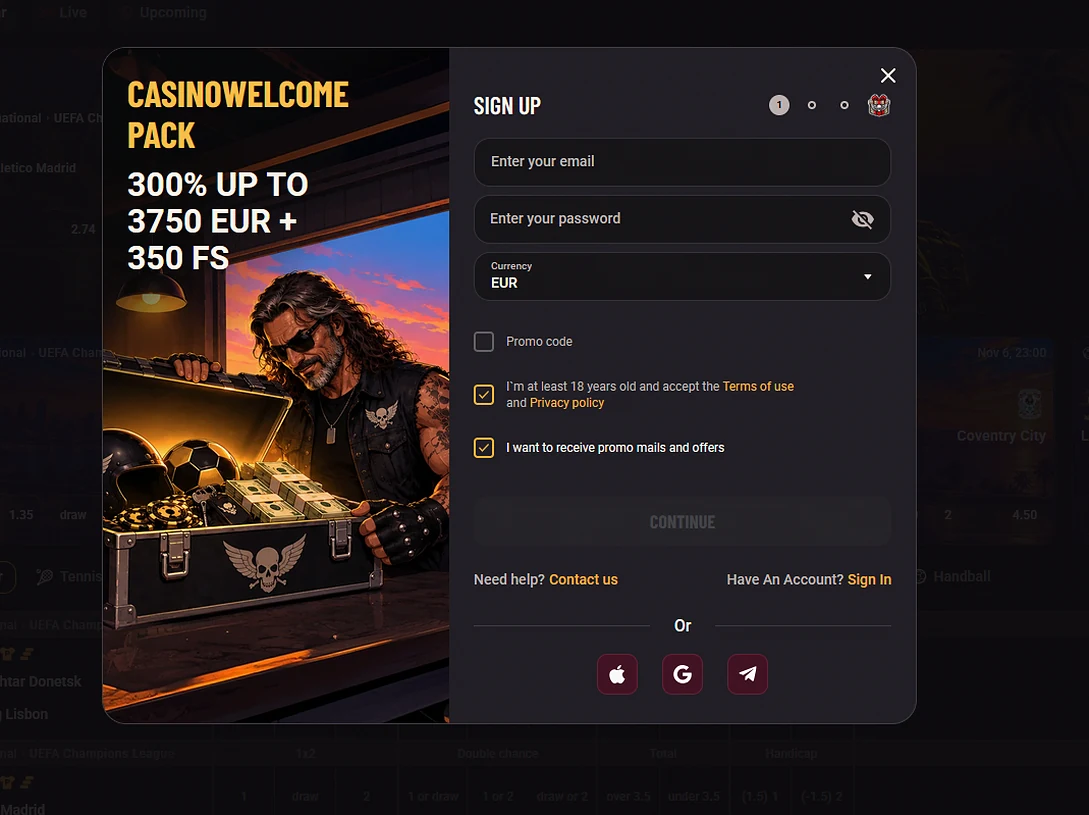
The second step collects your personal details (first name, last name, date of birth, address and phone number), and the third confirms the account by email.
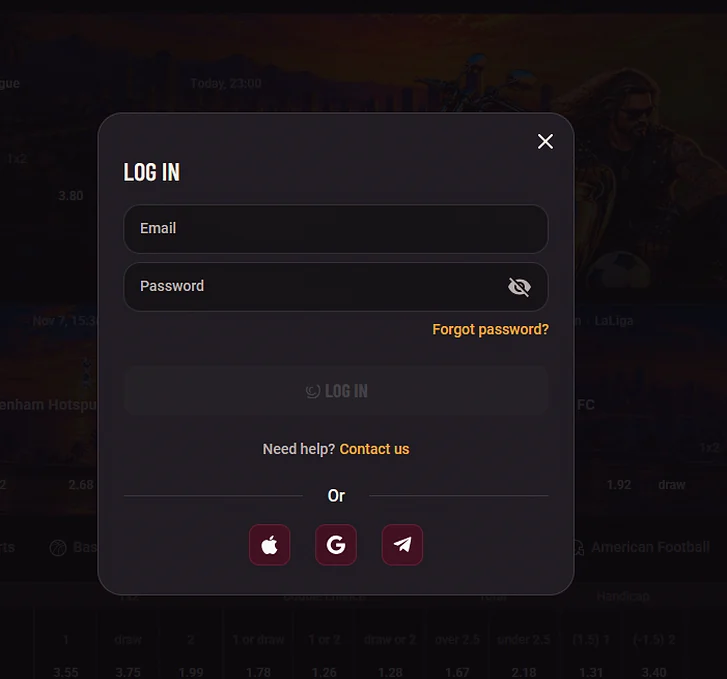
Sign-in accepts email and password, as well as Google, Apple and Telegram. If you switched on biometrics, your fingerprint or Face ID replaces typing the password, and the two-factor code is still requested when that protection is on. A session closes on its own after 30 minutes of inactivity, and five failed attempts block access for 30 minutes.
Live chat is reachable from the app around the clock, through the Live Support item of the menu. Its average response time is under 3 minutes, and Riderbet support also answers at [email protected].
Email gets a reply within 24 hours, provided you state the email address of your account and attach the screenshots that help, such as an error message or a cashier receipt. English-language support is available 24/7, and French-language support runs from 8 a.m. to 10 p.m. ET.
Deposit limits, loss limits, session reminders, the time-out of 24 hours to 6 weeks and self-exclusion are set from your account settings. Time-outs and self-exclusion take effect immediately, raising a limit only applies after 24 hours, and the minimum age is 19+ (18+ in Alberta, Manitoba and Quebec).
Questions about the app
The APK needs Android 8 or newer and takes up 42 MB. The PWA runs on iOS 14 or newer from Safari.
No, Rider Bet is listed on neither Google Play nor the App Store. The APK downloads from our website, and the PWA is added to your home screen from Safari.
The PWA follows the website and picks up changes as soon as you open it. For the APK, a notification flags a new version, which you download from our website.
Install Rider Bet on your phone
Claim 300% up to $5,250 plus 350 free spins across your first five deposits.
Start Playing Players must be 19+ (18+ in Alberta, Manitoba and Quebec). Gambling involves risk, and bonus terms apply.